ScanX
Making AI analysis easier
to understand and act on.
ScanX is an AI-powered workspace that helps users analyze images, interfaces, and code—turning complex AI feedback into clear, structured, actionable outputs.
Role
Product Designer
Scope
Desktop App · Mobile App · Landing Page · Design System
Context
AI can analyze almost anything, but the experience can quickly become overwhelming when every response is delivered through the same chat interface.
ScanX needed to support different types of analysis while still feeling like one connected product.
The problem
How do you give AI flexibility
without making the experience
feel unstructured?
Image, UI, and code analysis all produce very different outputs.
The challenge was to create a shared experience that could handle those differences while keeping navigation, interaction patterns, and results easy to understand.
What I worked on
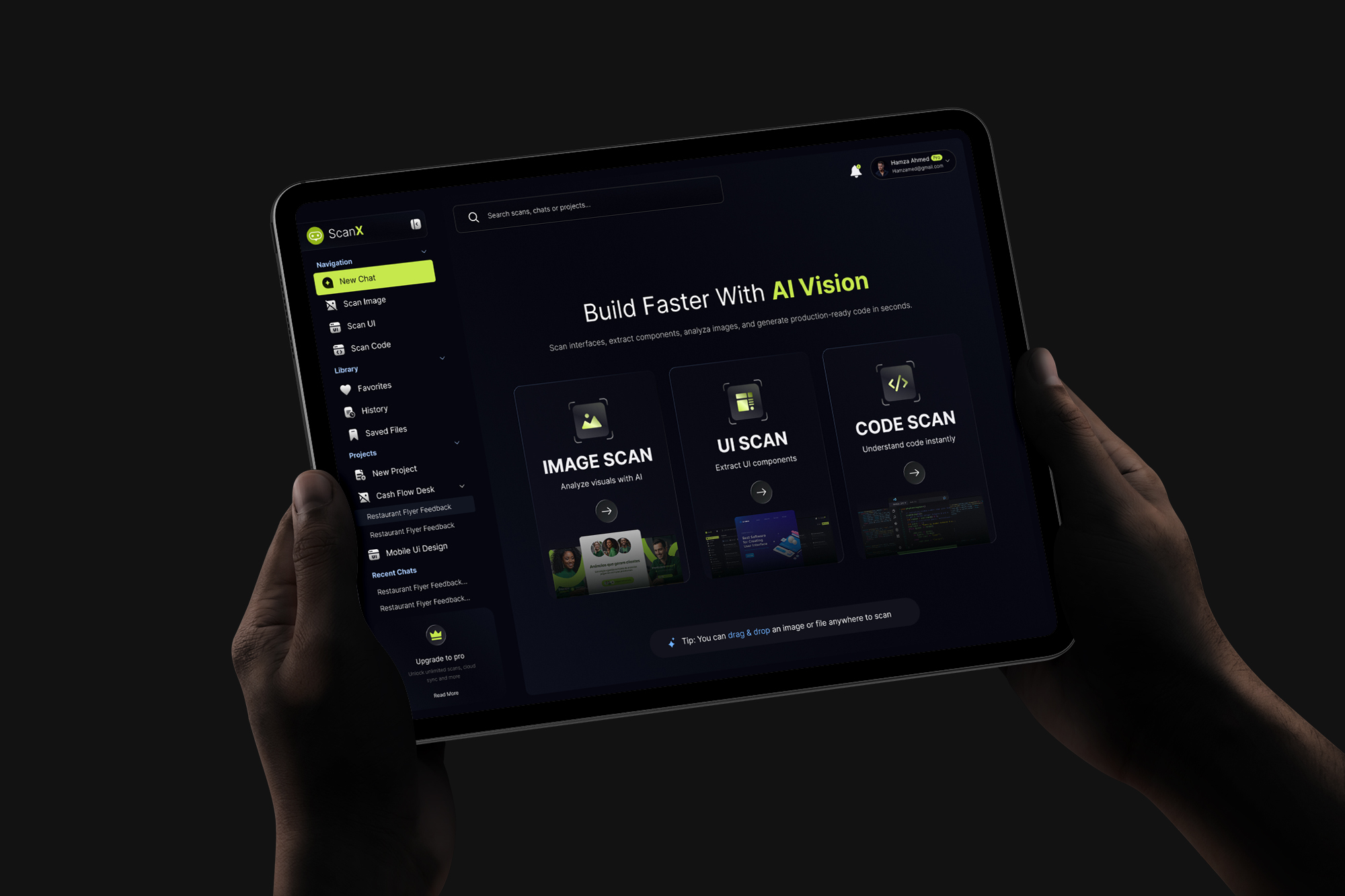
I designed the experience across the desktop product, mobile app, and marketing landing page, along with the design system supporting them.
- Core product flows
- AI chat and analysis experience
- Projects, history and saved work
- Structured AI outputs
- Responsive interfaces
- Reusable components and interaction states
- Design system
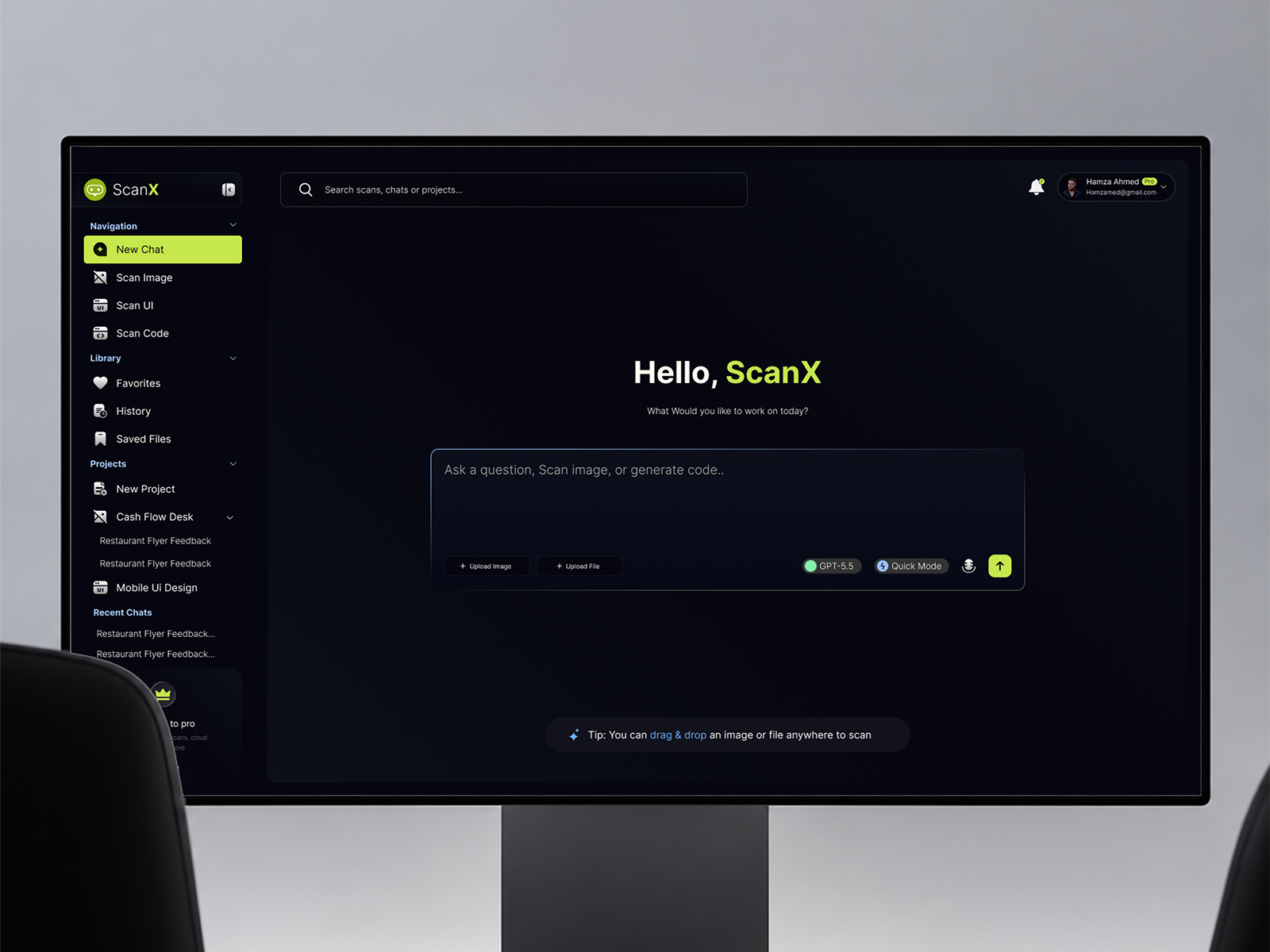
Start with intent.
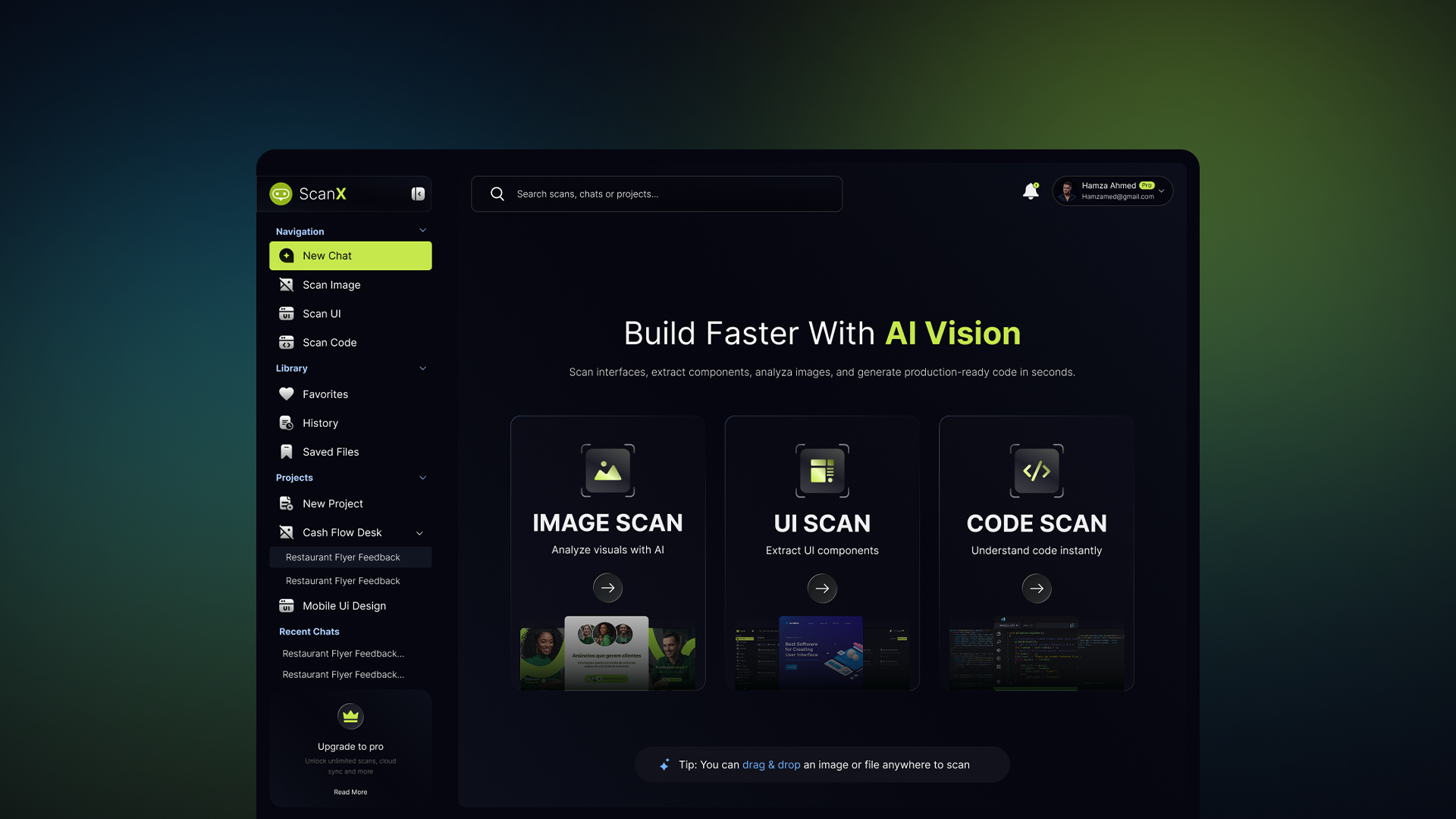
Instead of opening with an empty AI chat, ScanX gives users three clear starting points:
Scan Image · Scan UI · Scan Code
Users immediately understand what the product can do while still having the flexibility to continue through conversation.
Not every AI answer should be a message.
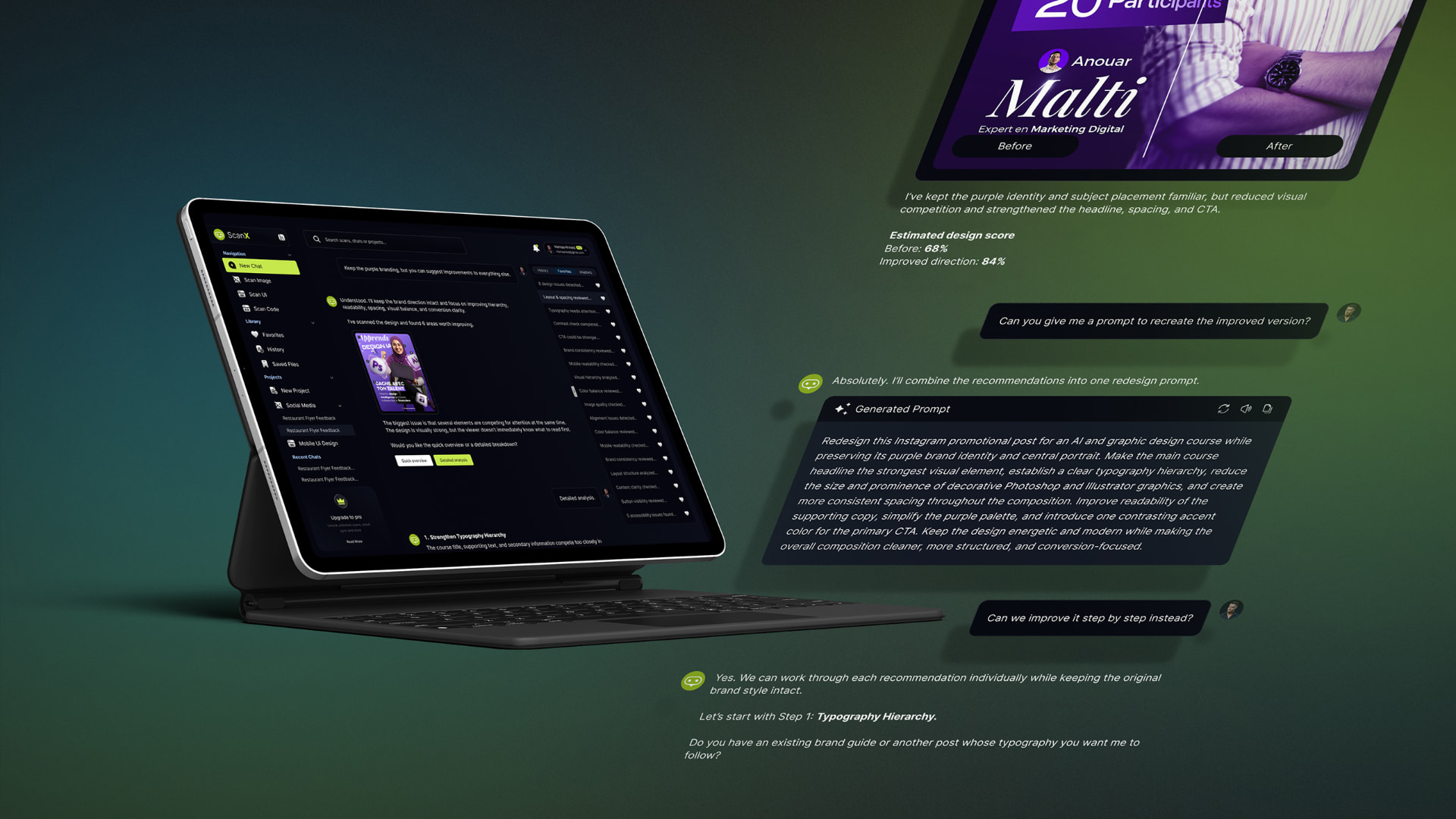
Complex analysis is presented through purpose-built modules such as:
Visual Analysis · Issue Details · Before & After · Branding Analysis · AI Generated Prompts
Chat connects the user with AI.
Structured components make the answer usable.
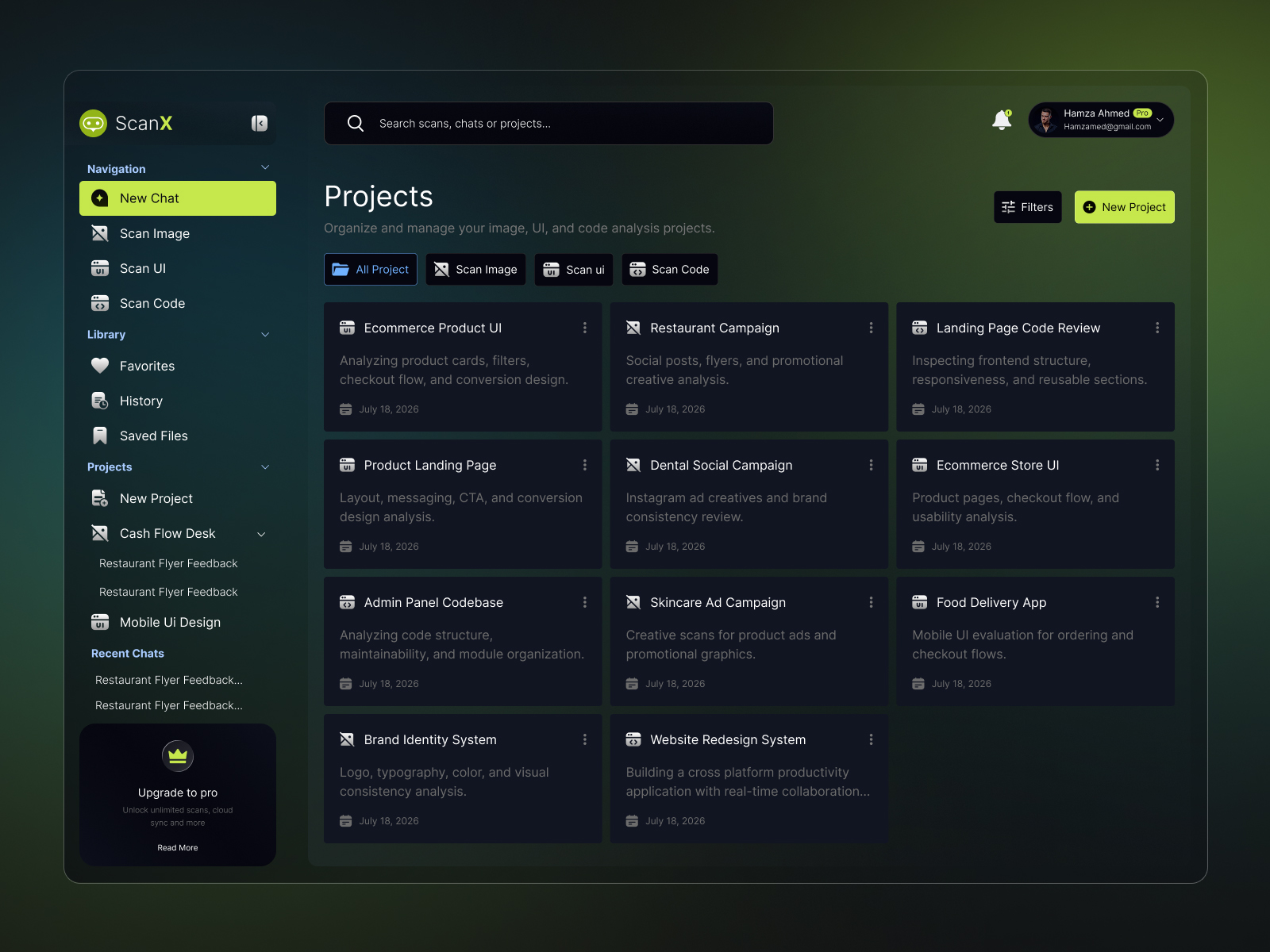
Make AI work persistent.
Analysis shouldn't disappear when a conversation ends.
Projects, History, Favorites, and Saved Files give users a way to organize, revisit, and continue previous work—turning ScanX from a one-off AI tool into a working environment.
Product

Building the system
Designed as a product system,
not a collection of screens.
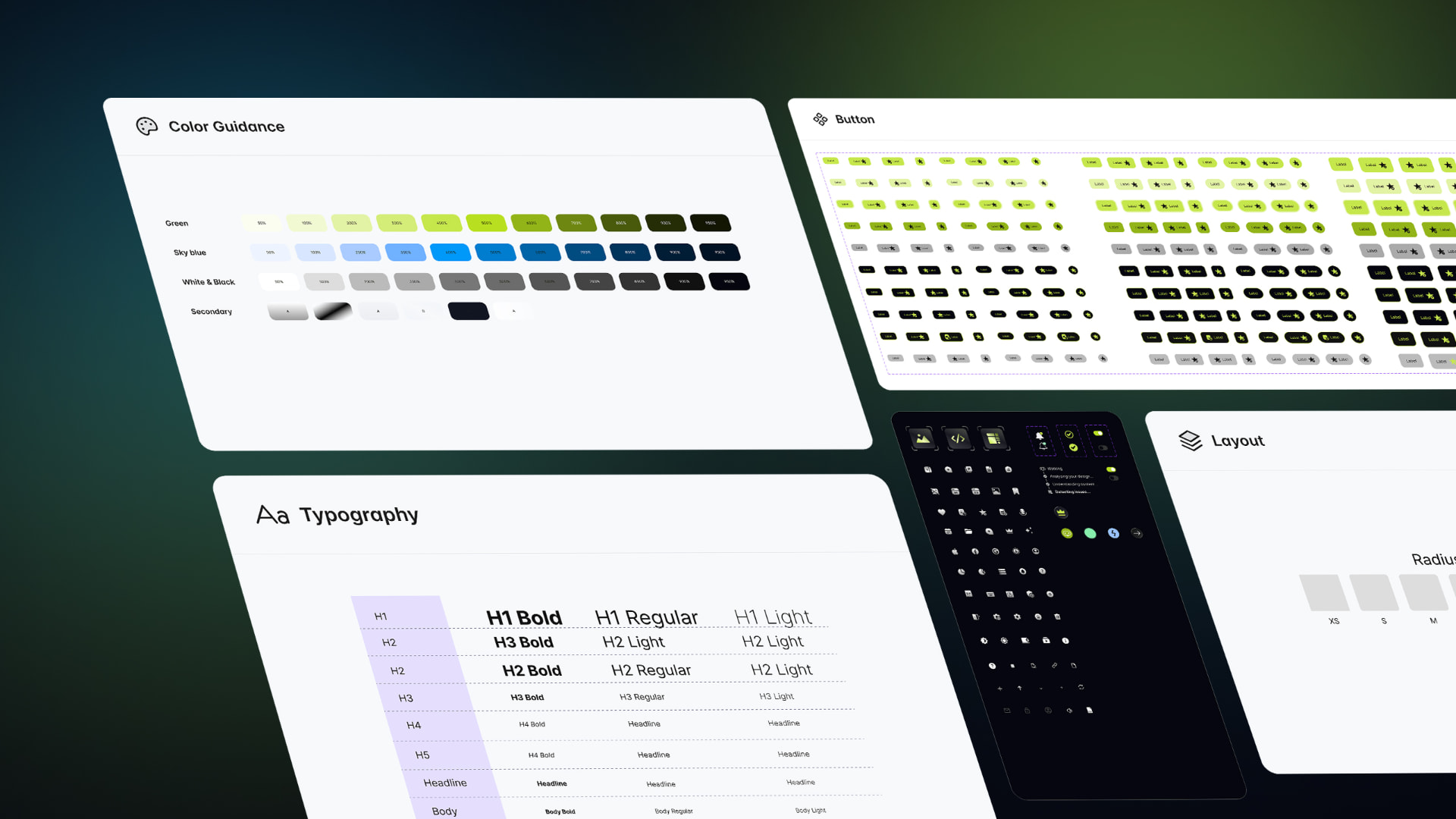
ScanX was built around reusable components, typography, color, spacing, states, and layout rules.
Components support different sizes, states, and configurations, while Auto Layout was used throughout the interface to handle changing and unpredictable AI-generated content.
This created a system that could scale as new workflows and features were introduced.
The outcome
ScanX brings AI conversation, structured analysis, project organization, and reusable outputs into one consistent experience.
The goal wasn't to make AI feel futuristic.
It was to give AI enough structure that its intelligence becomes genuinely useful.

The AI does the analysis.
The product makes it actionable.
Next project
WaveNeuro→